
DIALux evo 14.1 is now available. The latest update makes working with multiple IFC files easier, gives you more control over luminaire names and lets you customise your project views with your own sky textures.
You can also benefit from smoother rendering in the CAD workspace, more intuitive view settings and a range of improvements to make your everyday lighting design work easier.
Bring multiple IFC models together in one project
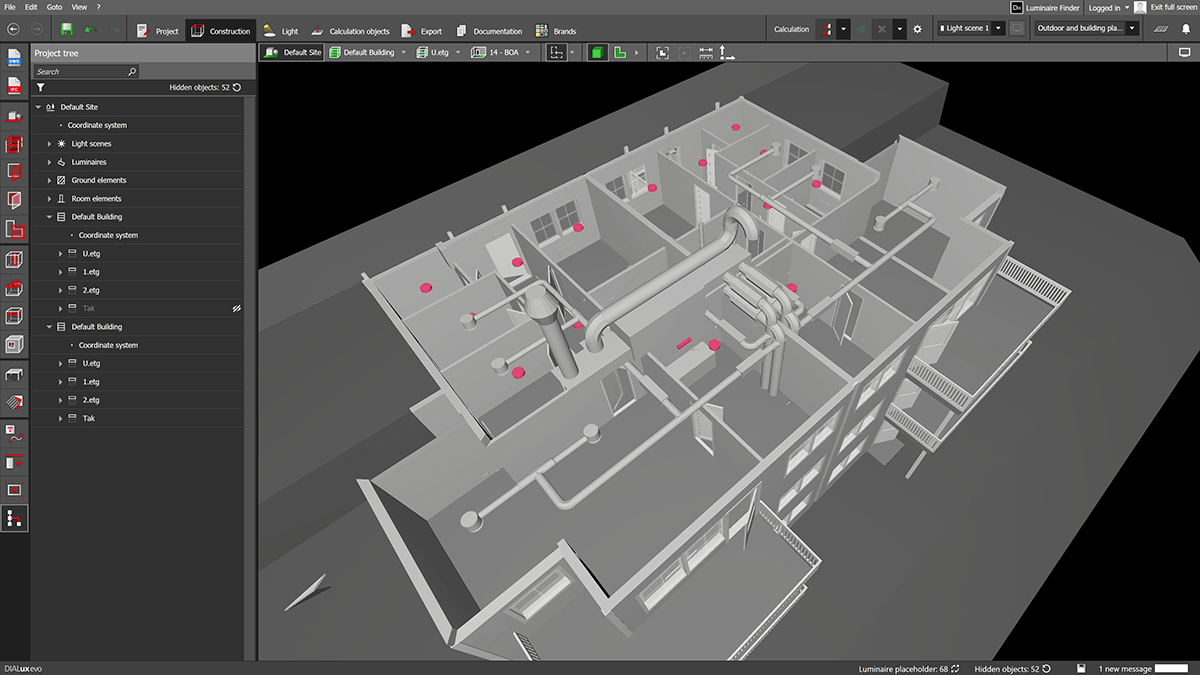
In BIM projects, different disciplines often work with separate IFC models. Architects provide the building model, while building services engineers supply models for ventilation and other technical installations. Until now, combining these models for use in DIALux evo typically required additional software.
With DIALux evo 14.1, this intermediate step is no longer necessary. You can select multiple IFC files in the import wizard and import them together. Files can be added to or removed from the selection. DIALux combines the models in a single scene. The individual submodels remain identifiable in the project structure.
A shared coordinate system is required to ensure that the models align correctly. This is generally standard practice in coordinated BIM projects.
What does this mean for your lighting design? For example, if you import the architectural and ventilation models together, you can also see the ventilation ducts when positioning your luminaires. This allows you to take their location into account directly in your design.
You can also reimport a lighting design that you previously exported from DIALux evo as an IFC file and incorporate it as a sub-model.
Keep original luminaire names when importing IFC models
If the IFC model already contains luminaires, you can import them as placeholders and then replace them with luminaires from DIALux evo for your lighting design.
By default, DIALux uses the name of the new luminaire type. With DIALux evo 14.1, you can retain the original names from the IFC model instead.
Enable this option under Settings → Import → IFC import: Retain luminaire names from the IFC model.
For example, if a placeholder is named “Office pendant luminaire”, this name is retained when it is replaced, provided the option is enabled. This preserves the names you have agreed on with your project partners.
Customise your project views with your own sky textures
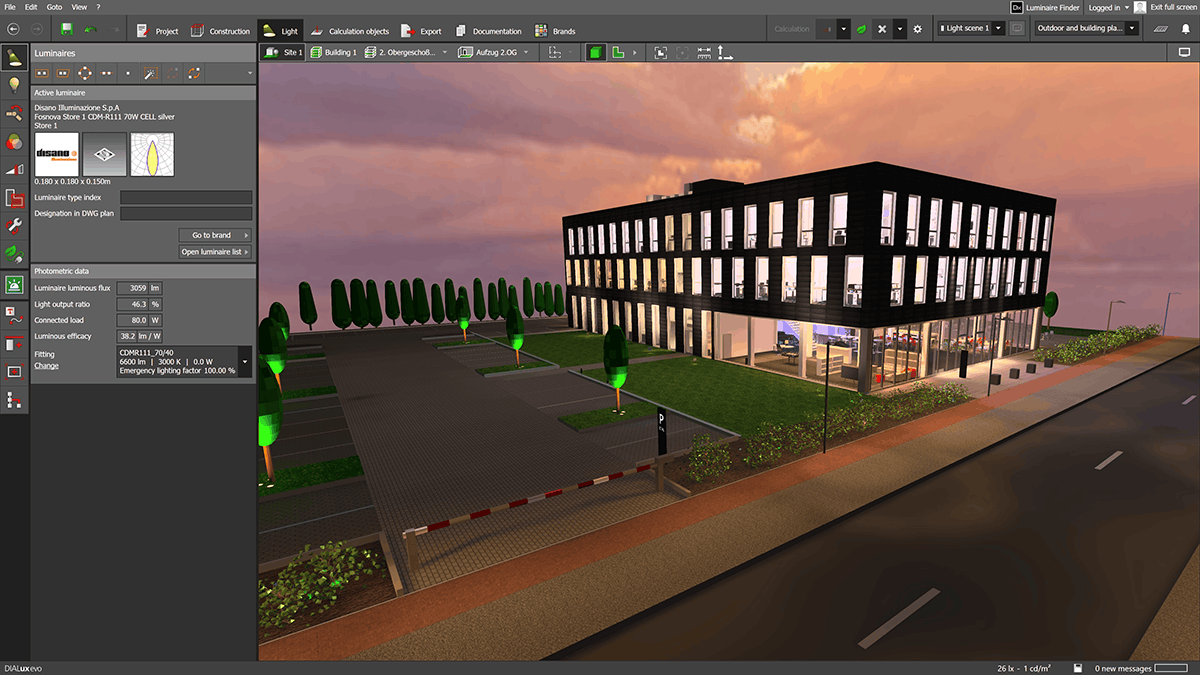
A configurable sky complements your exterior view. In DIALux evo 14.1, you can now use your own sky textures for this.
These are based on what are known as cubemaps. Imagine an unfolded cube, with each of its six faces showing part of the sky. Together, they form the surrounding sky.
You can find suitable cubemaps online or create them using AI. Make sure they have a high resolution so that the sky also looks good in your project views.
The texture is saved within the DIALux project. It therefore remains available when you reopen the project or share it with colleagues. You can switch back to the default DIALux sky texture at any time.
Find the right view settings more quickly
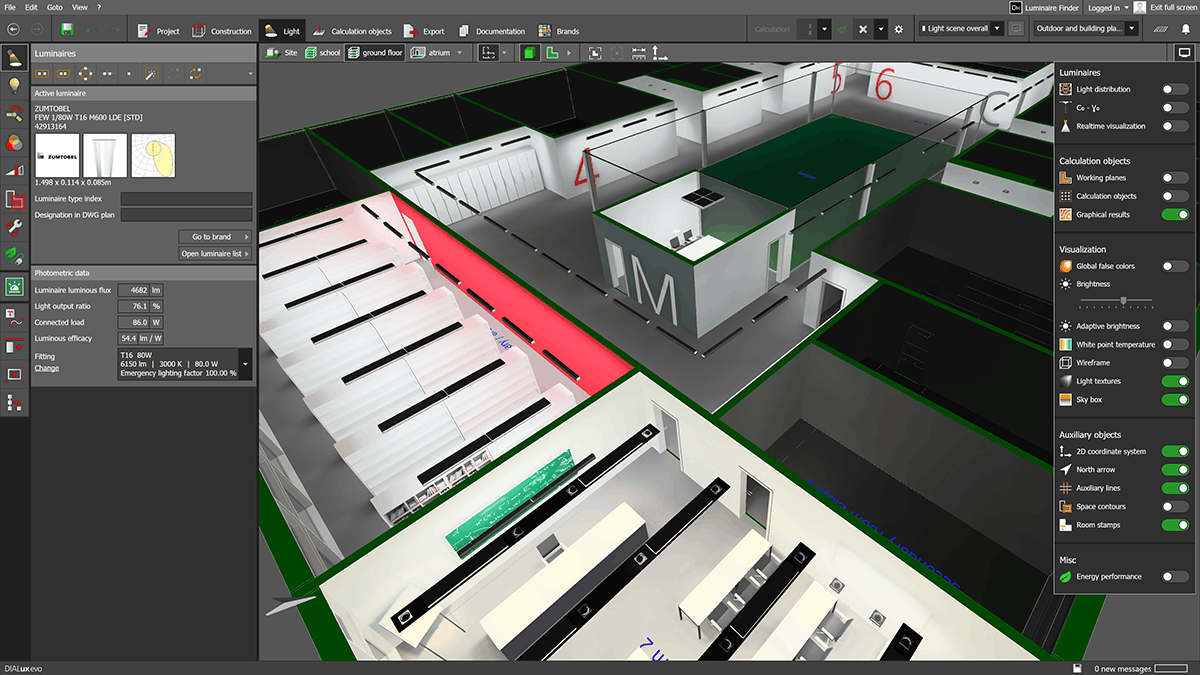
The settings for your view are now also arranged more clearly. You can find the available display options more easily and adapt the CAD workspace to your current task more quickly.
More improvements for everyday lighting design
Alongside the new features, DIALux evo 14.1 includes improvements and bug fixes for calculation, modelling and documentation:
- Work more smoothly in complex 3D scenes: Large buildings, detailed furniture and numerous luminaires can slow down work in the 3D model. DIALux evo 14.1 therefore improves rendering performance in the CAD workspace.
- Room-by-room calculation: Improved luminaire assignment helps prevent the same luminaire from being included in multiple rooms.
- IFC models and luminaire positioning: Errors in room positioning and differences when positioning individual luminaires and luminaire arrangements have been fixed.
- Scope Boxes: Text and dimension lines are displayed correctly outside the box in 3D views, floor plans and elevations.
- Documentation: The q0 value for road lighting is now reported to three decimal places. The mounting height refers to the assigned room.
- Display and project organisation: Bluish discolouration of luminous surfaces and errors when sorting duplicated storeys have been fixed.
Download DIALux evo 14.1
Whether you're coordinating multiple IFC models, preparing project views or working on complex lighting designs, DIALux evo 14.1 brings improvements that make your daily work easier.
Download DIALux evo 14.1 and explore the new features..
