
Tag: DIALux
How will sustainability performance affect lighting design practice?
Embodied carbon, product lifespan and circularity broaden the focus beyond energy efficiency. What does this mean for lighting design? Ahead of IALD Enlighten Americas, Peter Roth shares his questions and invites designers to exchange practical experiences.
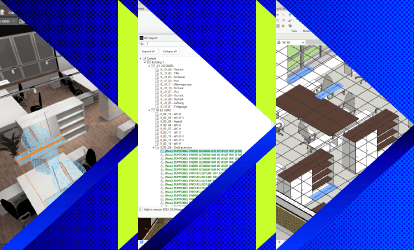
DIALux Bridge for Revit: Seamless BIM Integration for Lighting Designers
Transfer lighting models via IFC in both directions between DIALux and Autodesk Revit. DIALux Bridge for Revit is included in DIALux Pro.
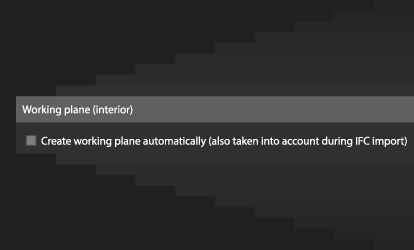
More control over working planes in DIALux evo
Create working planes automatically or add them only where needed. Save the height and margin area as default values for your next projects.
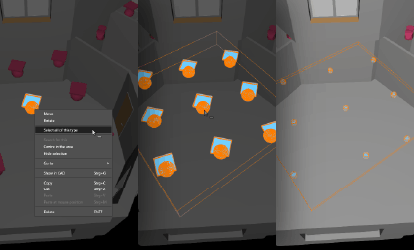
New in DIALux evo 14: Same objects? One click is all it takes.
With DIALux evo 14, working with objects that appear multiple times in your project is now much easier. You probably know the situation: a certain chair, door, window or luminaire has been placed several times in your project, and you don’t want to search for and click every single object manually. That’s exactly what the new “Select all of this type” function is for.

Coming Soon: Merge Multiple IFC Models Directly in DIALux evo
In BIM workflows, a project often consists of more than just a single model. In addition to the building model, there are usually discipline-specific models, for example for HVAC, plumbing, or electrical planning. Until now, these models had to be merged using external software before being imported into DIALux evo. We are currently working on a new feature that will allow you to import multiple IFC files directly into DIALux evo and merge them into a single, unified model.
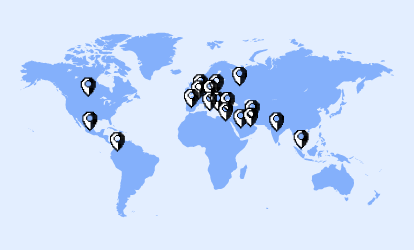
Learn DIALux Worldwide – Our Global Trainers
Lighting design is a global profession and learning the right tools should be just as accessible. That’s why, beyond our courses held hybrid and on-site, we have built a worldwide network of certified DIALux trainers who support users locally, in their own language, and directly on site.
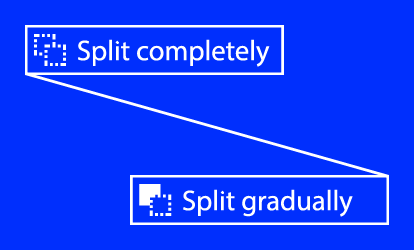
New in DIALux evo: Split models step by step
If you frequently work with self-built models in DIALux evo and want to adapt them throughout your design process, your workflow just got a lot easier.

Outlook: Sports and floodlighting design in DIALux evo
We know that floodlighting design can quickly become complex in the current version of DIALux evo. This is especially true for sports facilities and symmetrical pole arrangements, where precisely aiming luminaires often still involves a lot of manual work. This is exactly what we are working on right now: we are preparing a solution that will make your planning process much easier, faster and more convenient.
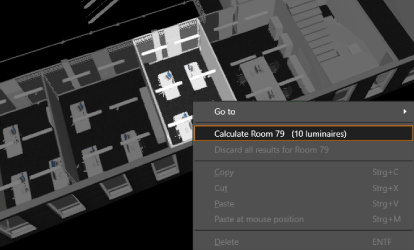
DIALux evo 14 is now available: Faster planning thanks to room-by-room calculation
DIALux evo 14 is now available for download. With the new version, calculating your projects becomes even more efficient: you can calculate individual rooms and spaces specifically, and thanks to optimized room views, you can navigate the model more easily. This makes it faster and more structured to handle even large projects.