
The latest version is DIALux evo 14.0 – available for download free of charge. Please note that the following article describes an older version of DIALux.
DIALux evo 9 is finally ready for you to download. You can look forward to many new features which will help you to become more efficient.
New documentation
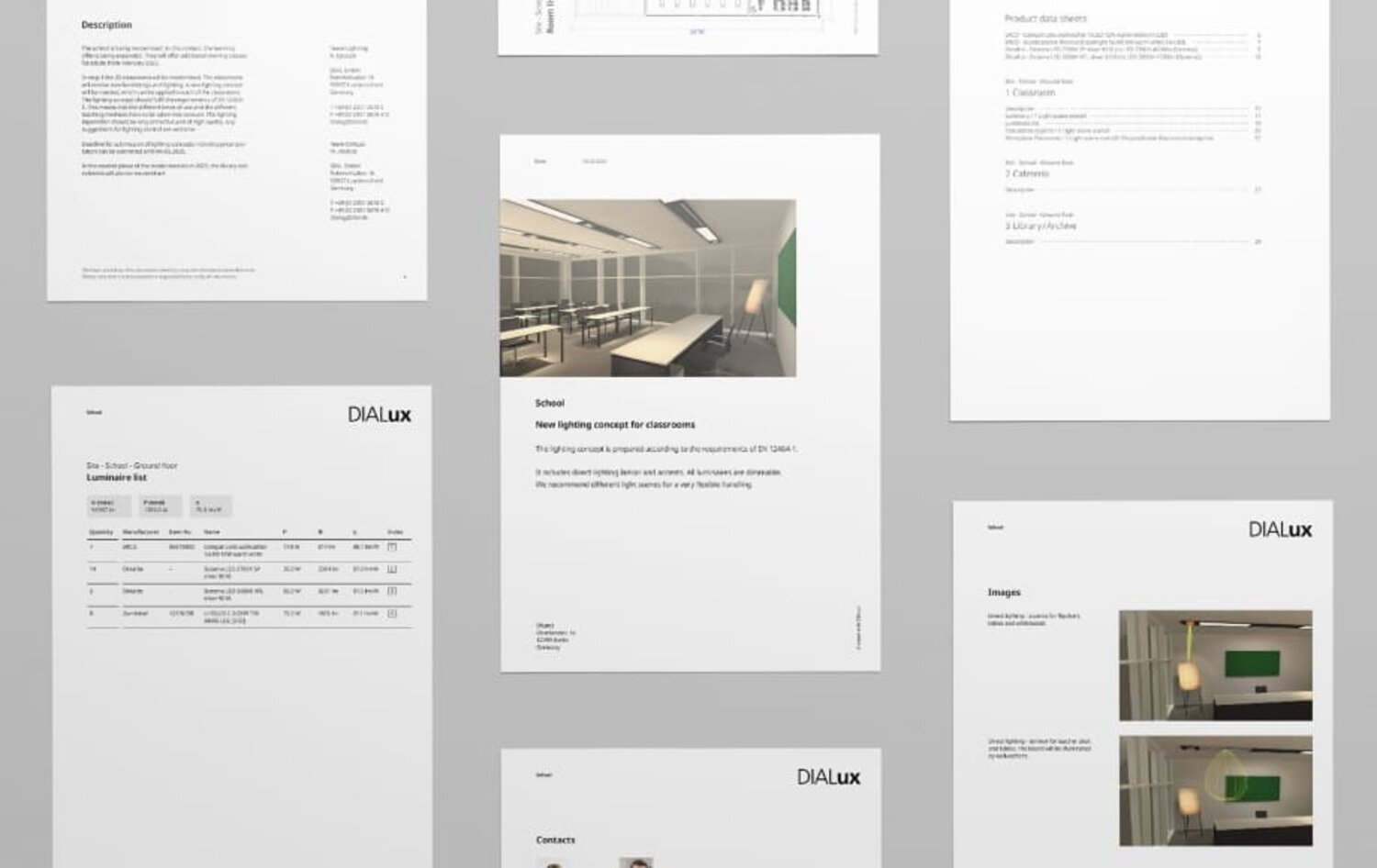
The documentation of the project has a completely new design with a new layout:
- The font is larger, and images and cover pages are visually more attractive
- Contact details are on a separate page
- The disclaimer or the imprint can also be edited individually
Furthermore there is a new User Interface, a complete room overview in the documentation listing all the rooms with their respective luminaires and energy data, it is no longer necessary to create outputs for each individual room. Learn more about the new output design in our latest video.
Revised luminaire placement and snap function
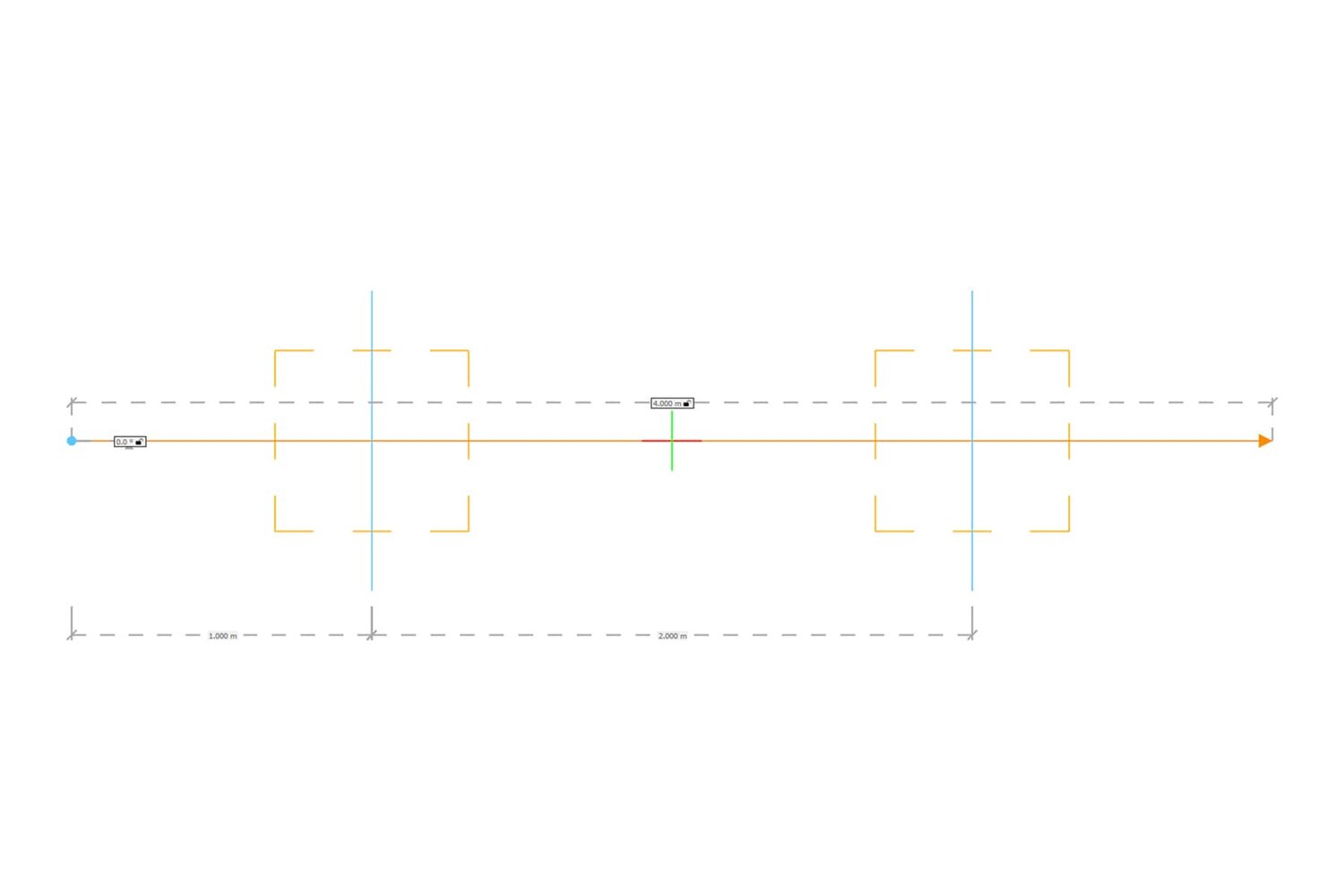
We have revised the light lines and the snap mechanism for you. This saves a lot of time with the placement of luminaires and other objects.
- In the CAD you can see dimensions, the construction direction and a visualization of the luminaires to be placed
- Luminaires can be distributed along the line either by number or by distance
- We have revised the snap function for you, new features include the length grid and the angle snap
New calculation method: Faster calculation and better visualization of complex objects
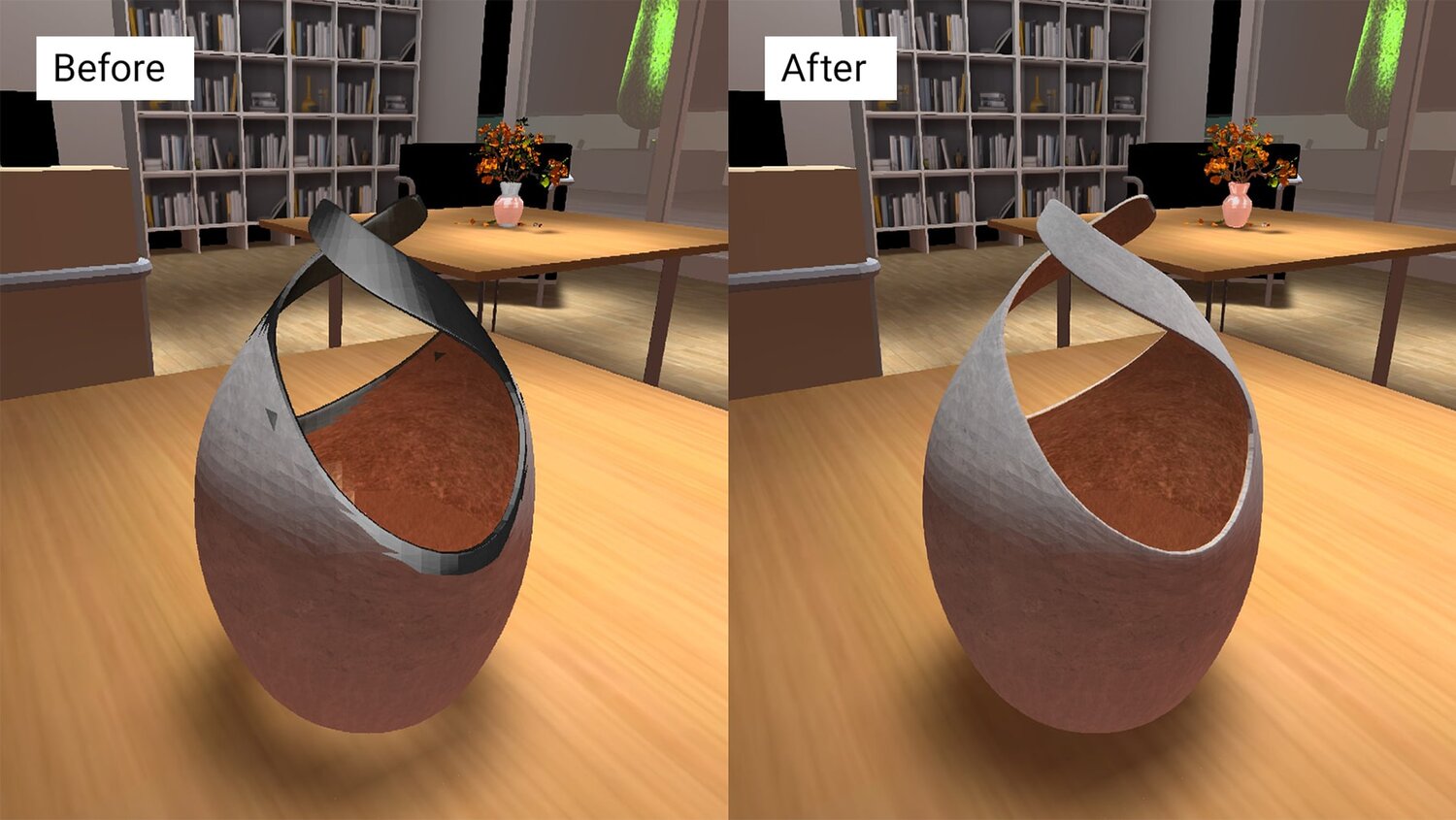
The previous calculation method (photon shooter) is enhanced by a process which takes detailed objects into special account
This is not only of benefit for the calculation speed and subsequent adjustments of light scenes but also leads to a general improvement in the presentation of detailed objects with many surfaces in CAD. The file size of the projects as well as their loading and saving time are also positively influenced.
Unlike the results achieved with the setting »Simplified illumination of furniture and objects«, with this enhanced method the lighting effect on the object surfaces are now displayed as realistically as possible.
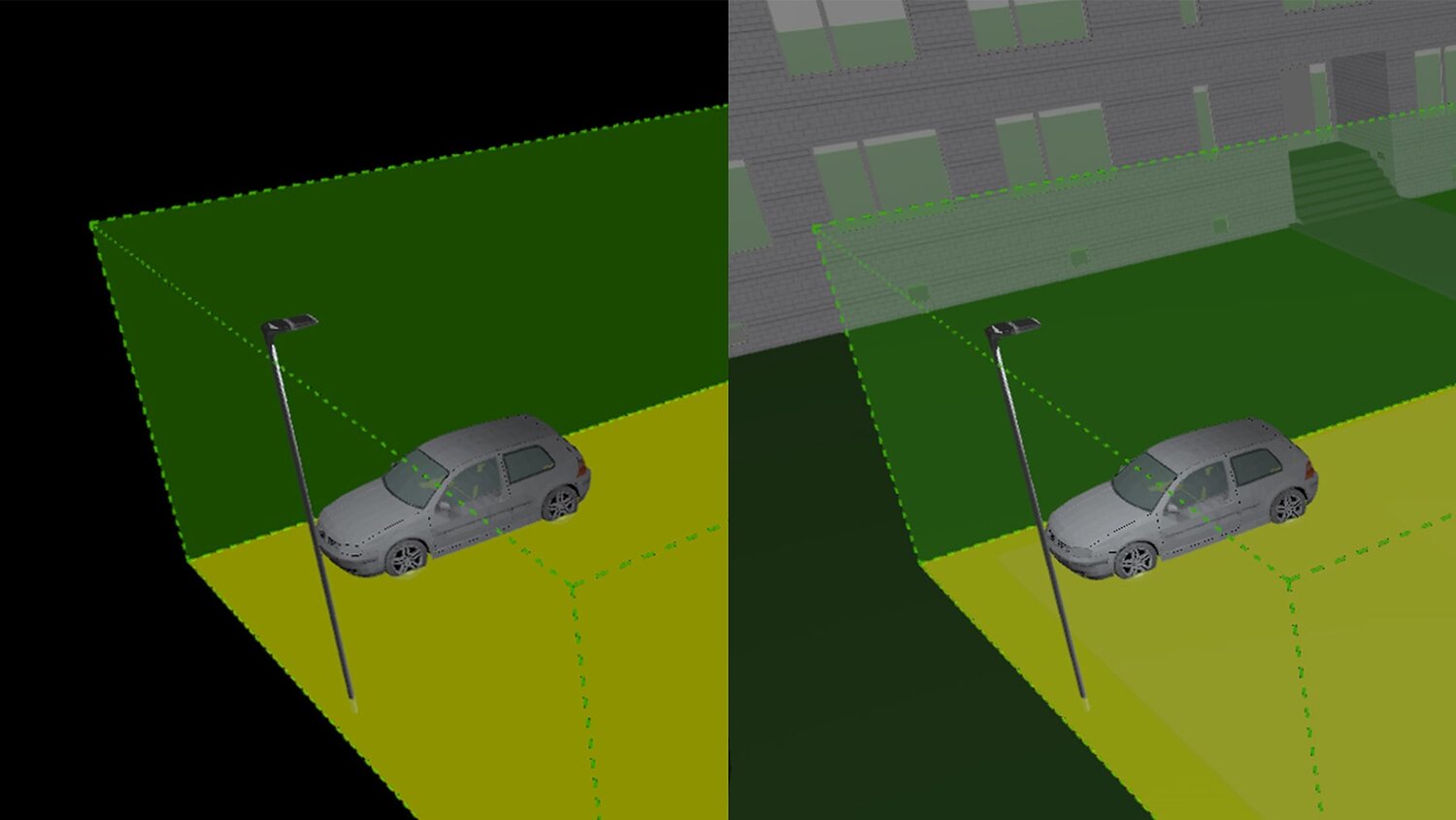
Significant simplification for users planning light in outdoor spaces
We extended the navigation bar with a view for outdoor areas. In addition it is also possible to visualize the contours of indoor and outdoor spaces during your work.
DIALux has always been free for the user - and it will stay that way
We offer a high-quality international planning tool that provides all functions for professional lighting design free of charge. For those who want even more, there will also be so-called Pro Features, which will help you to optimize your workflow. You can subscribe to these on a monthly basis for a certain amount.
We are starting with two of these Pro Features:
- Layout (DIALux evo 9)
- Export (DIALux evo 9.2)
Your Corporate Design in DIALux evo
We have revised the documentation for all users and made them clearer and more attractive – this is free of charge for all users. For all those who want to design their outputs individually there is the Pro Feature >Layout<.
With the new Pro Feature >Layout< in DIALux evo 9 you can create your individual design of the outputs. You can edit:
- Fonts/Style
- Colours
- Content such as logos and images
- Design the page layout
Outlook: Export your results in different formats
The Pro Feature >Export< will be available in DIALux evo 9.2, which will be released in a couple of months. If you continue working with the results after creating standard outputs, this Pro Feature can help you to save a lot of time.
- Export an appealing documentation to Power Point
- Edit your outputs in Word
- Display your luminaire parts list in Excel
